Table of Contents
Example: Wi-Fi
This example enables the Wi-Fi interface and sets the credentials, if not already done.
Project: ZSOM-Control_WiFi.lvproj (ZSOM-Control) and ZSOM-Mini_WiFi.lvproj (ZSOM-Mini). In LabVIEW, open Help → Find Examples and search for “ZSOM”.
Note: A compatible Wi-Fi module must be connected to USB, see Wi-Fi.
ZSOM-Control
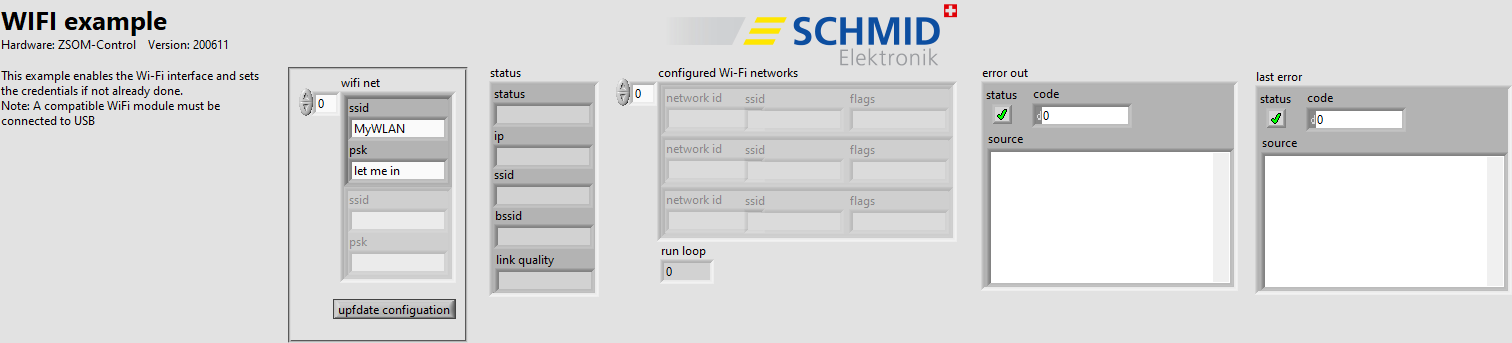
RT code: front panel (ZSOM-Control)
ZSOM-Mini
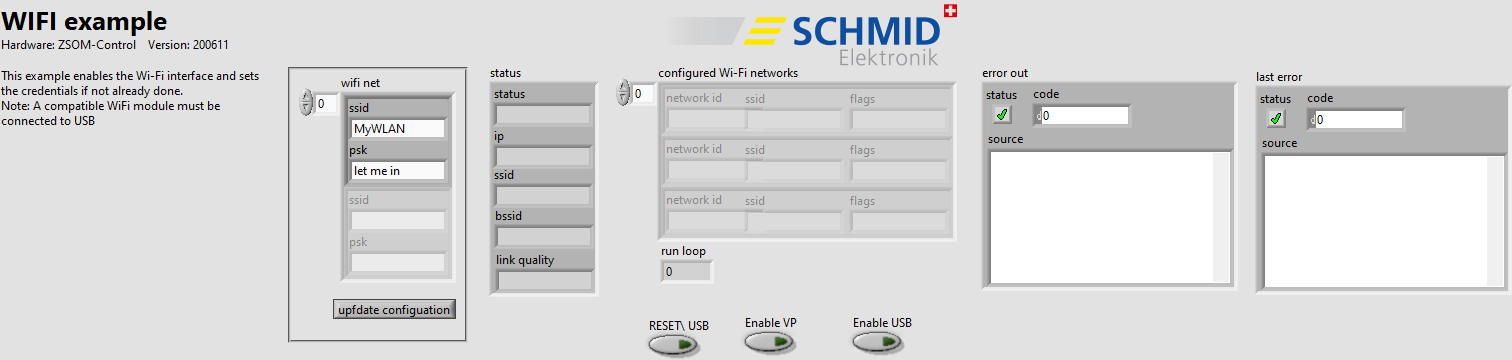
RT code: front panel (ZSOM-Mini)
The front panel of the ZSOM-Mini has three additional controls for the power of the USB port: RESET\ USB, Enable VP and Enable USB, see Power and GPIOs. The project also contains the FPGA VI ZSOM-Mini-Connect-WiFi_FPGA_main.vi: TBD.
Front panel
| Control / Indicator | Function |
|---|---|
| wifi net: ssid, psk | Name and password of the Wi-Fi network |
| update configuration | Transfers the network settings to the ZSOM |
| status: status, ip, ssid, bssid, link quality | Current state of the connection |
| configured Wi-Fi networks | List of the configured networks: network id, ssid, flags |
| run loop | Counter of the loop iterations |
| error out / last error | Error cluster of the last action and the last error |
How it works
- RT (
WiFi_RT_main.vi): In a loop (wait time 200 ms) the VIzsom.rt.wifi.network.add.visets the network when update configuration is pressed. Thenzsom.rt.wifi.network.list.vireads the configured networks andzsom.rt.wifi.status.vireads the status of the connection. - FPGA (
WiFi_FPGA_main.vi):TBD
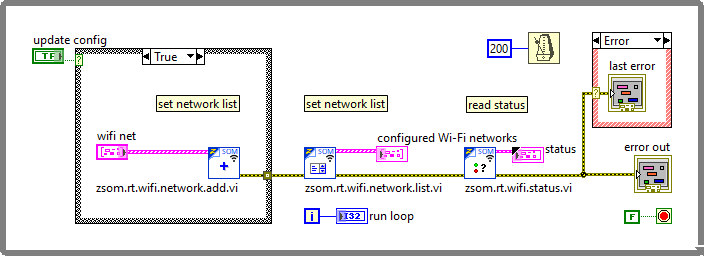
RT code: block diagram (ZSOM-Control)