Example: CANopen
This example requests the same temperature value as Example: CAN raw from the NXP microcontroller on the ZSOM-Control, but uses the CANopen VIs (ZCAN) of the SDK. For the hardware, see CAN.
Project: ZSOM-Control_CAN.lvproj, VI CANopen_example.vi. In LabVIEW, open Help → Find Examples and search for “ZSOM”.
Prerequisite: The firmware of the microcontroller must be flashed once, see Example: CAN NXP firmware update.
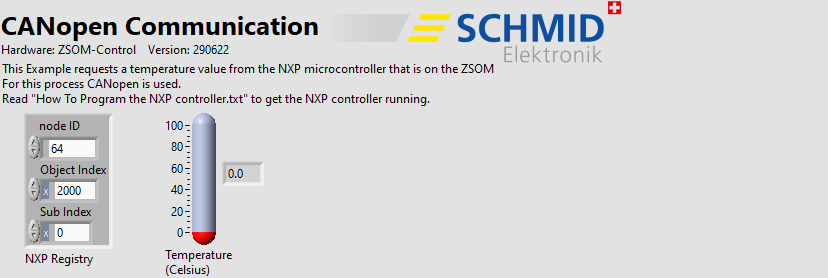
RT code: front panel
Front panel
| Control / Indicator | Function |
|---|---|
| NXP Registry: node ID | CANopen node ID of the microcontroller (64) |
| NXP Registry: Object Index, Sub Index | Object that is read (2000 / 0) |
| Temperature (Celsius) | Temperature reported by the microcontroller |
How it works
- RT: The microcontroller must be reset before communicating with it. The VI does this with the FPGA control NXP RESET and then initializes the ZCAN library. In a loop (wait time 1000 ms) it reads the object with an SDO read VI. The temperature is transmitted multiplied by 10 and is divided by 10 in the VI.
- The CAN receiving task evaluates the received CAN messages and dispatches them to the communication VIs. It must run whenever the ZCAN VIs are used.
- FPGA (
CAN_FPGA_main.vi): Provides the digital I/O lines and the two control lines NXP ISP and NXP RESET of the microcontroller to the RT, see also Example: DIO all.
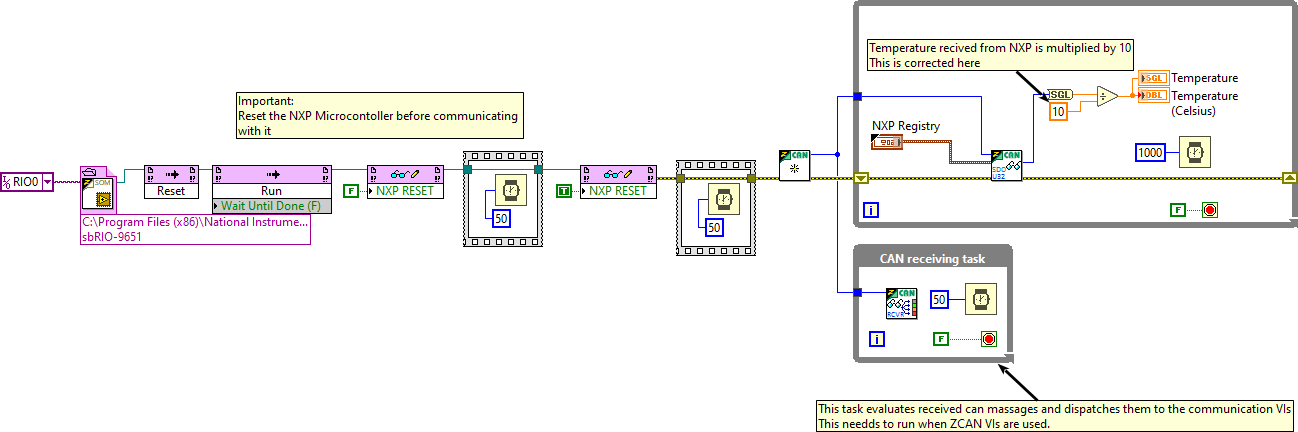
RT code: block diagram
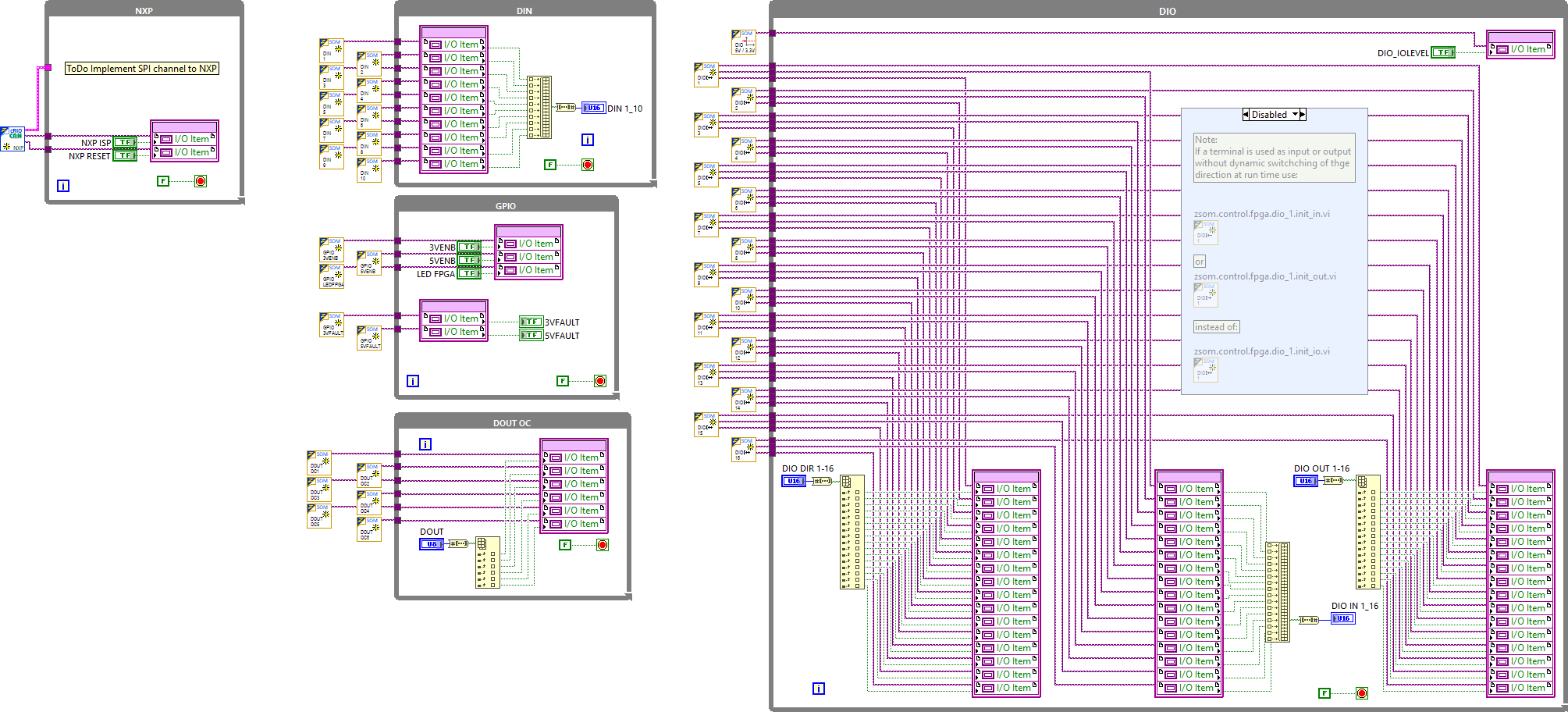
FPGA code: block diagram
ZCAN library
The ZCAN VIs are part of the example project (folder RT/ZCAN). They are grouped as follows:
| Group | Content |
|---|---|
zcan.init.vi | Initialization of the library |
| HAL | Hardware abstraction (zcan.hal.vi) |
| NMT | Network management: read and set the node state, list the nodes |
| SDO | Service data objects: read U32 and 4×U8, write U16, U32 and U8 arrays |
| PDO | Process data objects: zcan.pdo.listener.vi |
| NXP | Firmware update of the microcontroller: load binary file, load RAM, erase, flash, compare |